The studio had never had a design system. I built its first one, token by token.
Overview
I was the main designer of the system, under our UX/UI design lead, who reviewed the work and helped with implementation. I ran the audit, named every token, built every component and wrote the specs. Two front-end engineers turned it into a Tailwind code library with me.
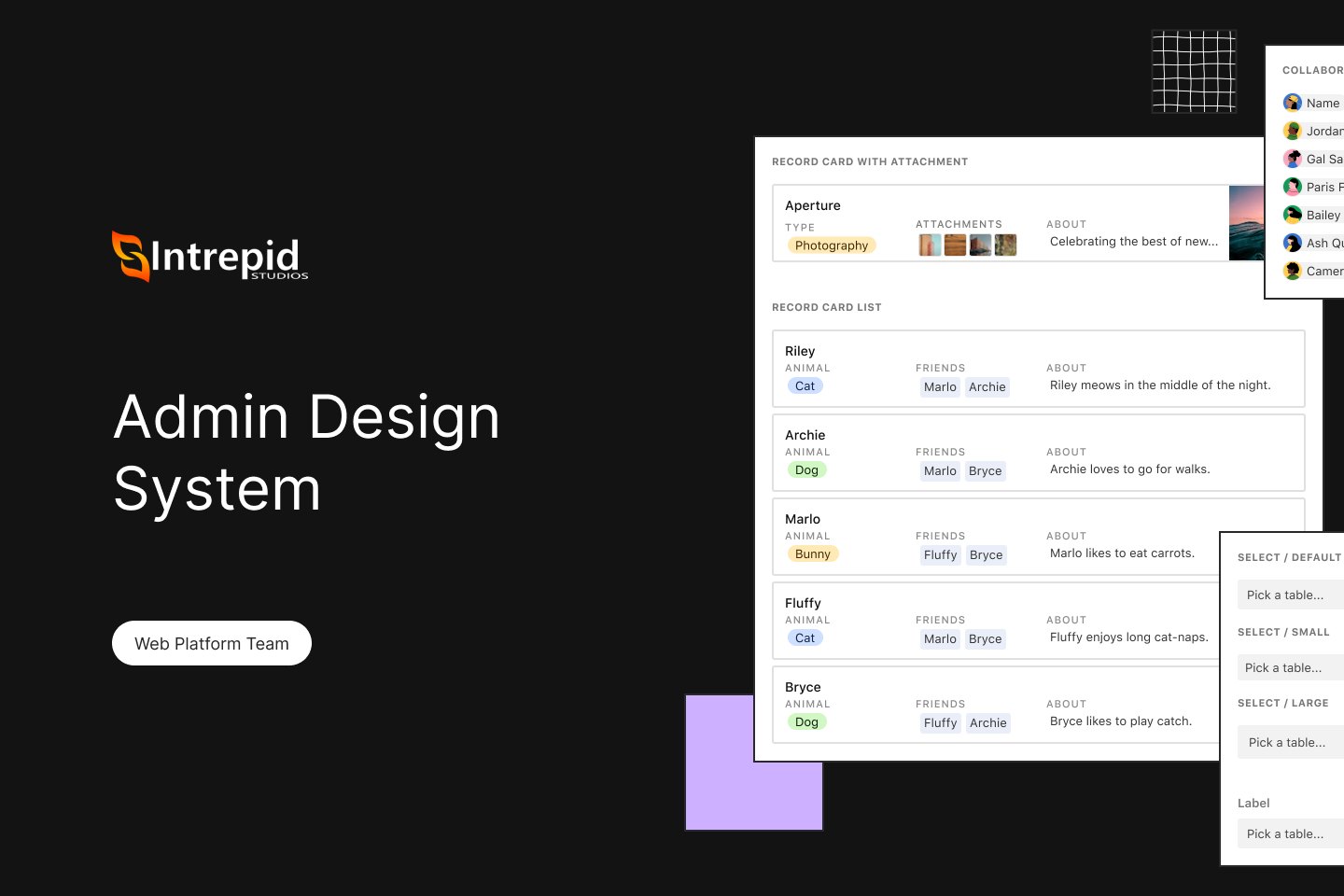
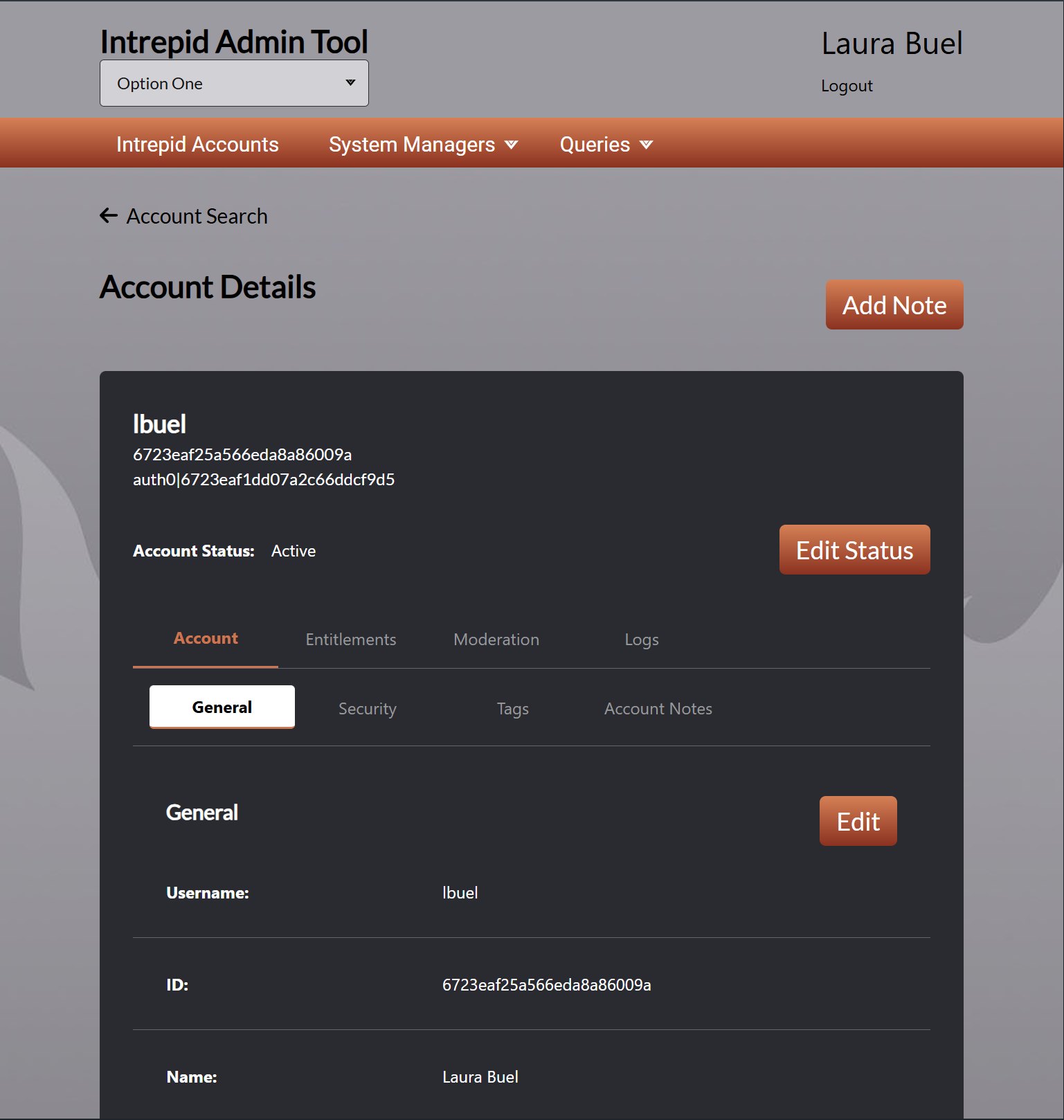
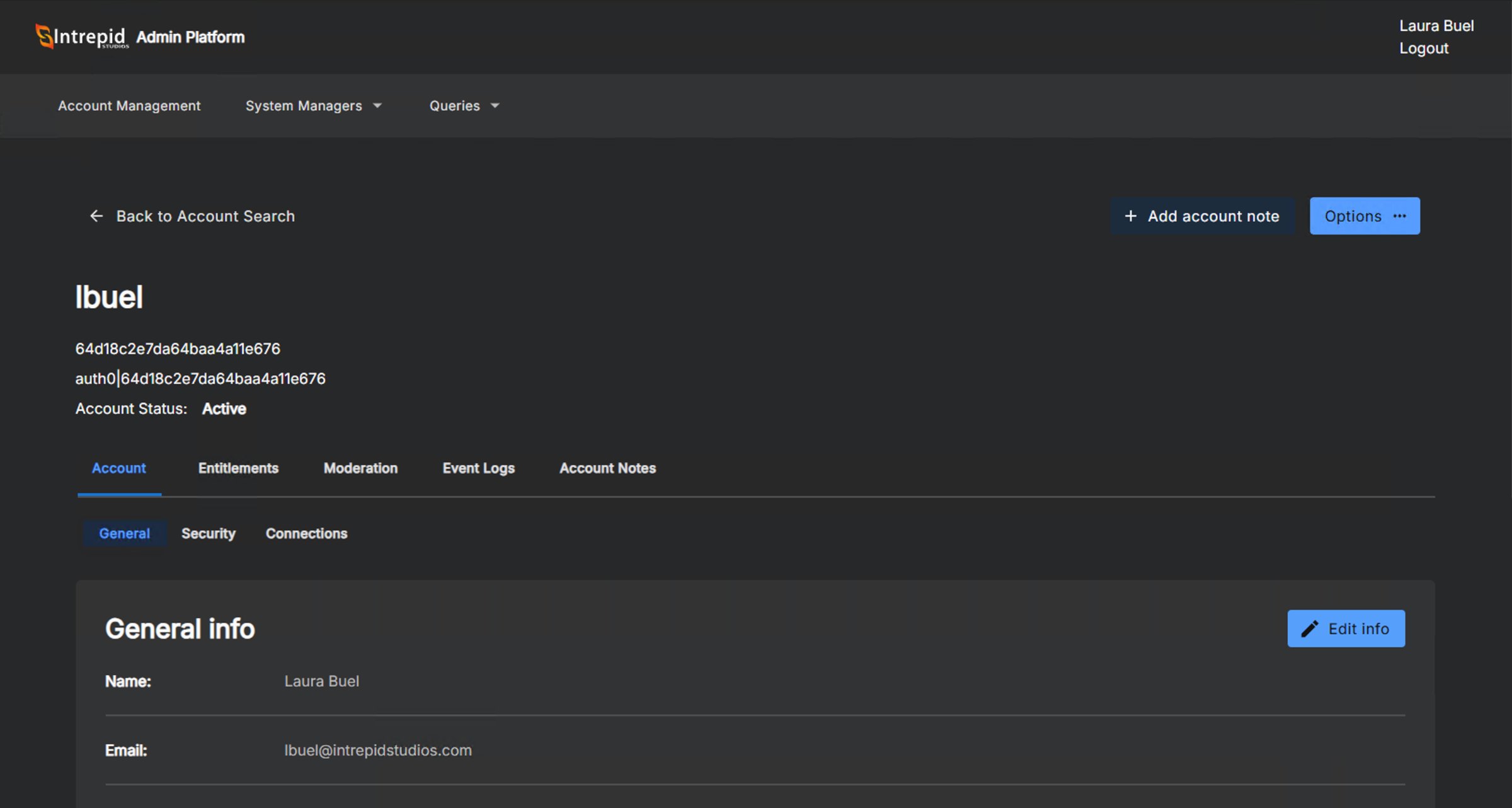
Intrepid’s internal admin tool runs the website and the game, and every page looked different. The studio had never had a design system. I audited what existed, built the tokens, then the components, and worked with engineering so the Figma library and the code library were the same thing with the same names.
Start with what already exists.
Before designing anything, I audited the few admin pages that existed. I recorded every component they used and how many versions of the same thing there were, then listed the components the team would need soon for the admin features on the roadmap.
The audit became the build list. Every component had to earn its place by solving something real in the tool.
Borrow what works, skip what doesn’t.
I studied the most widely used design systems, including Google’s Material Design, and noted what worked and what didn’t for a dense internal tool. Admin users scan tables, filter and edit records all day, so I leaned toward patterns built for density and clarity, and away from ones built for consumer apps.
Tokens before components.
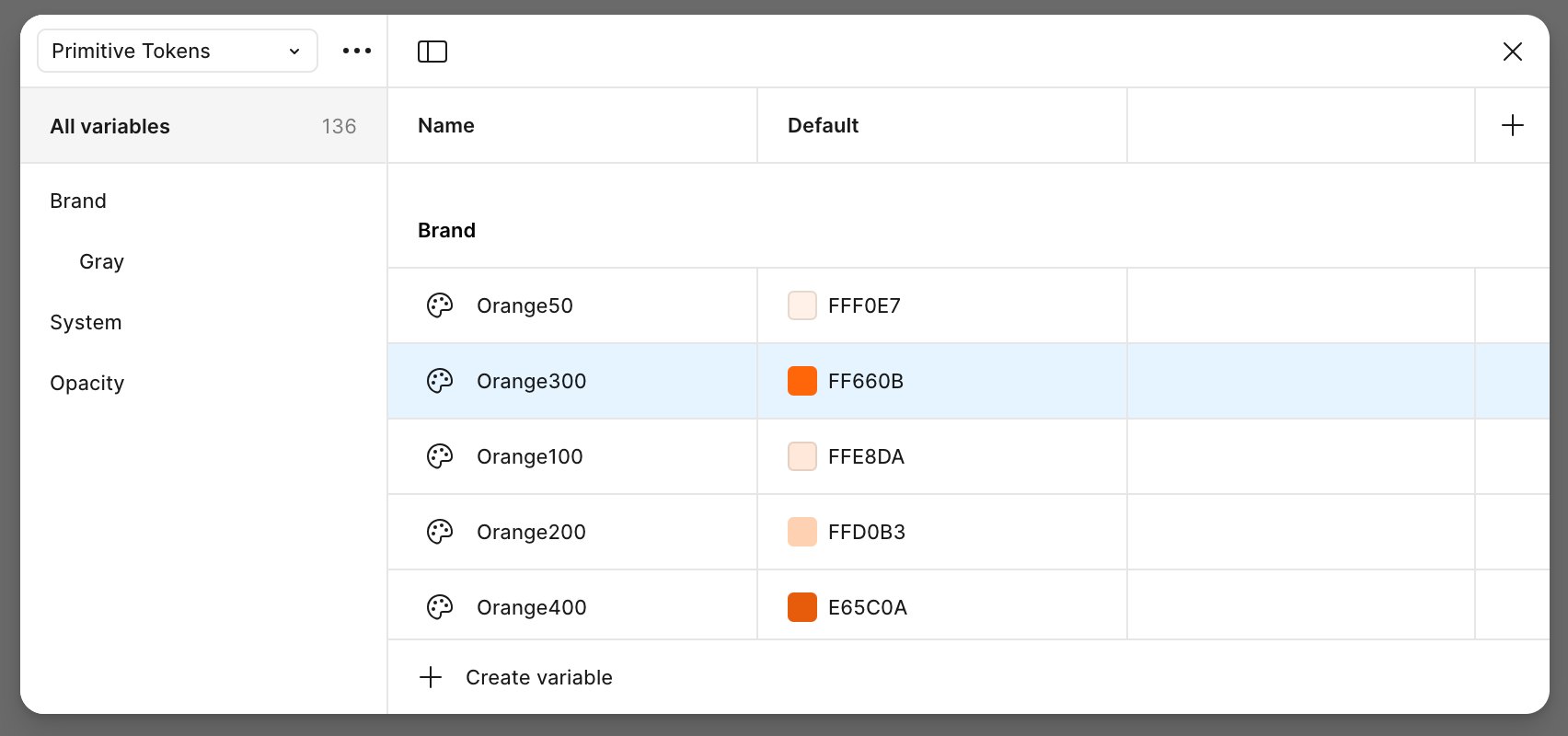
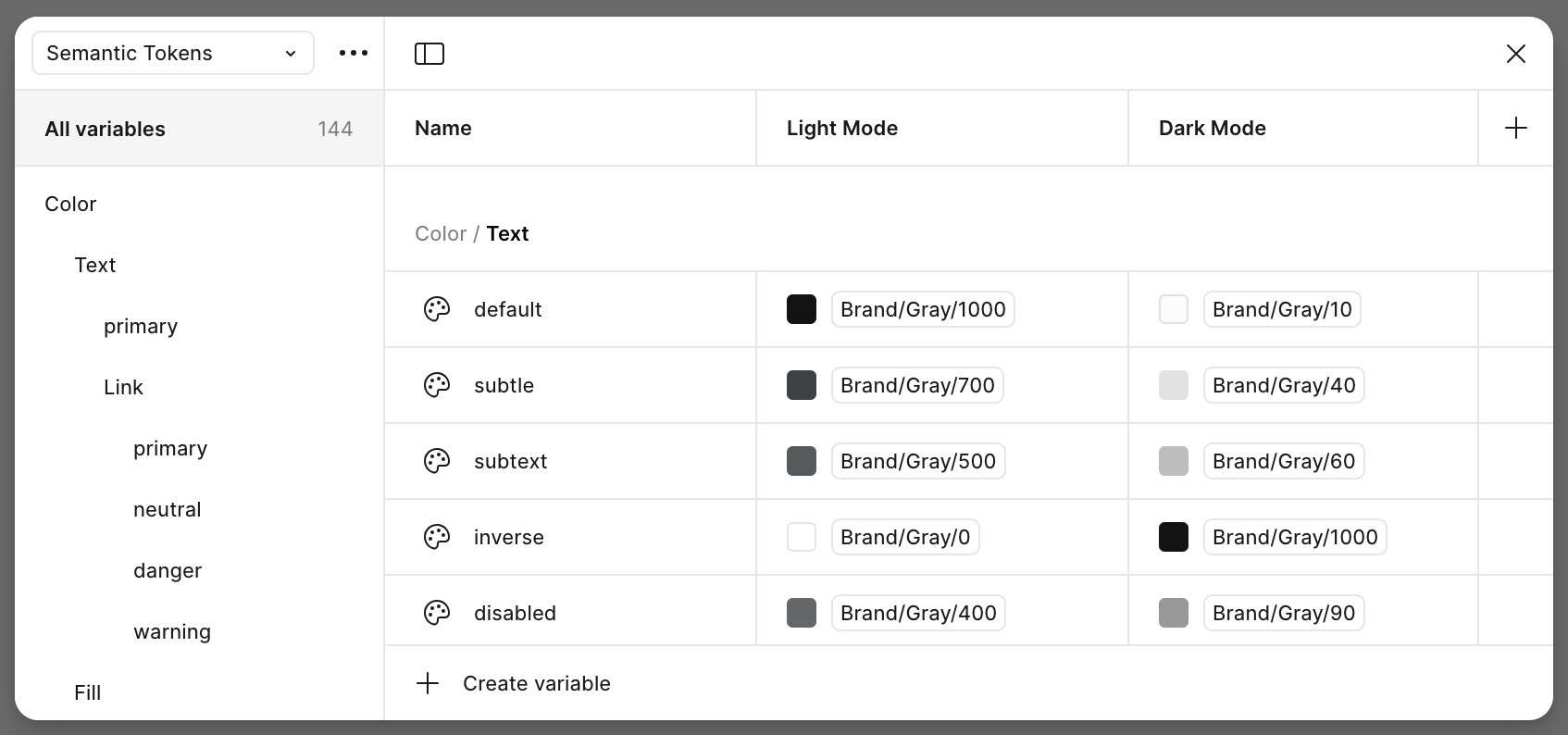
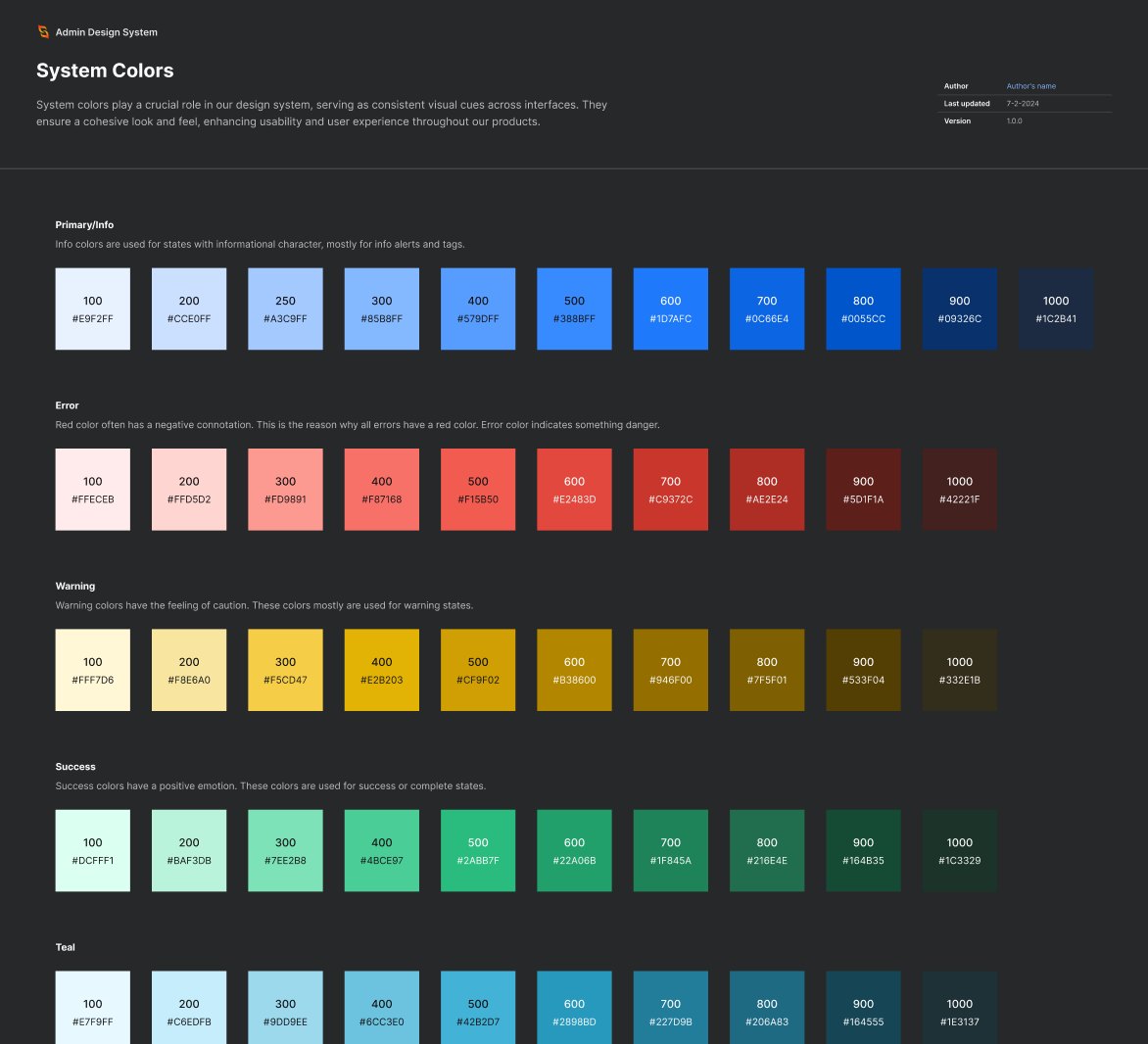
I built the color system in two layers and named every token myself.
- Primitive tokens. The raw palette, each color on a numbered scale.
- Semantic tokens. What a color is for (text, surface, border, fill, overlay, action states), pointing back to a primitive.
A designer or engineer picks “text, subtle” instead of a hex code, and a palette change happens in one place. The tokens support light and dark mode; we shipped dark because it fits the Intrepid brand, and light is ready when it’s needed. Type styles, spacing and elevation sit alongside.
Built for Figma and Tailwind at the same time.
In Figma, I built every component with variants and auto layout, so it resized properly and designers could switch states from the properties panel. The text field alone covers default, typing, filled, disabled and invalid, with options for a label, secondary text, an icon and a warning message.
In code, the front-end team used Tailwind, so I kept spacing, color and naming in line with it. It went both ways: engineers told me what Tailwind could do cleanly, and I told them where a component needed to behave differently.
The goal: a component in Figma and its coded version are the same thing, with the same name.
Documentation for two audiences.
- Build specs for developers. Anatomy, states, spacing and token use, so engineers could build without guessing.
- Usage specs for future designers. When to use a component, when not to, and how it combines with others.
The second set matters most long term. A system only stays consistent if the next designer knows the rules without having to ask.
A color scale with no room to grow.
We worked on top of each other: I handed components to engineering as they were ready and moved on to the next, so problems sometimes surfaced mid-build.
When I got to buttons, I needed more shades than the palette had, and some tokens needed more contrast to meet accessibility requirements. Adding stops between existing colors renumbered the scale: Blue100 became Blue300, for example, and every semantic token pointing at a renamed primitive had to change. This was before AI tools could help, so it was a manual update that took several people checking it.
It happened early, before the library got big, so we recovered quickly. The scale now leaves deliberate gaps between steps, so a new shade slots in without renaming anything.
The hardest component, and the compromise.
Tables are the heart of an admin tool and the hardest component to build in code. There was a lot of back and forth with the developers about what the table could do within the time we had.
We gave up some of the variants I’d designed, and some control over how users could expand and resize cells. We shipped a solid, reusable table within our dev time and logged the rest as a backlog ticket instead of holding up the library.
The first publish.
- Foundations. Primitive and semantic color tokens (dark mode live, light mode ready), type styles, spacing and elevation.
- 19 component sets. Blanket, breadcrumbs, buttons, checkboxes, code block, dialog boxes, dynamic table, empty state, input fields, link, lozenge, menu, pagination, radio, spinner, tabs, tags, toggle switch and tooltip, each with variants and auto layout.
- Icons, a navigation pattern and a page template, so a new admin page starts from a layout, not a blank frame.
- A Tailwind code library that matches the Figma components by name.
- Build and usage specs for every component.
What changed
less time on admin design and development work. The team compared time logged in Jira on admin tickets before the library with time logged after it was in place, and estimated tasks took about half as long.
The first library published four months after the audit, while engineering was already building with it, and around 20 admin tool pages have been built with it since. Designers and engineers pull the same component with the same name, so those pages look like they belong together. Next time, I’d tag tickets by component so the saving can be traced to specific parts of the library.
What I’d do next
- Finish the table. Pick up the backlog ticket: the dropped variants and user control over resizing cells.
- Turn on light mode. The tokens are ready; it needs a contrast pass across the components.
- Automate token changes. A token pipeline between Figma and Tailwind would turn a rename like Blue100 to Blue300 into one change, not a manual hunt.
- Measure adoption. Track library coverage per admin page and UI bug tickets over time.