One extra step to protect HIPAA data, designed so nobody noticed the lock.
Overview
I owned the ticket end to end: research, flows, designs and the redlined spec for developers, with check-ins from a senior designer. I worked with product managers and the security team throughout, and with marketing when the login page itself changed.
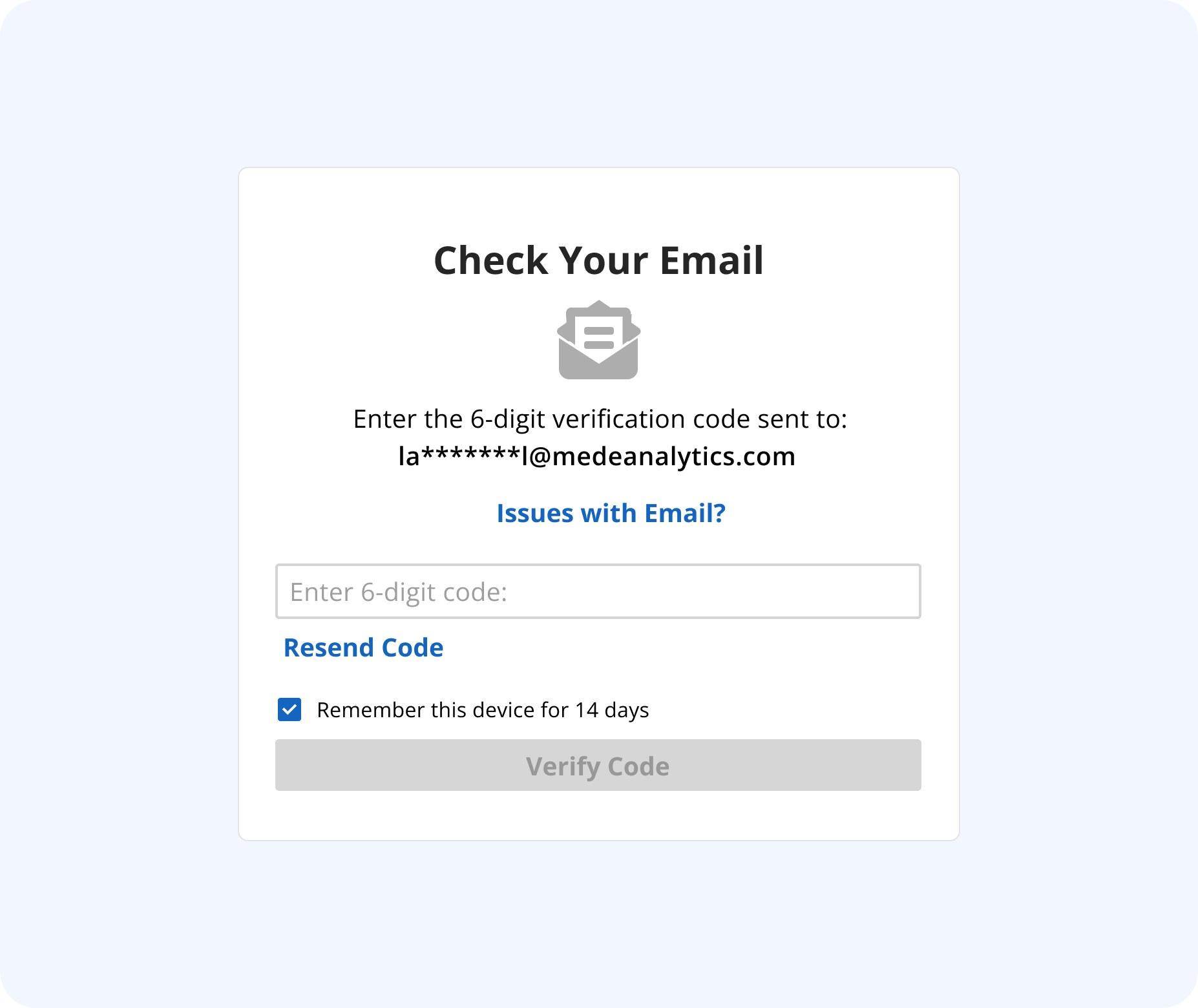
MedeAnalytics’ clients log in to dashboards full of HIPAA-protected health data, and the login had no second factor. The company decided to build two-factor authentication in-house, and I designed it: one extra step, familiar enough that nobody had to learn anything new.
Long overdue, and mine to design.
Attacks were getting more frequent and more sophisticated, and the company’s insurance required stronger login security. For a platform holding HIPAA-protected data, a second factor was overdue. The company chose to build it in-house, and I was the designer on it.
How do we add a step without noticeably disrupting people, and make it feel like the 2FA they already know?
Learning from logins people already trust.
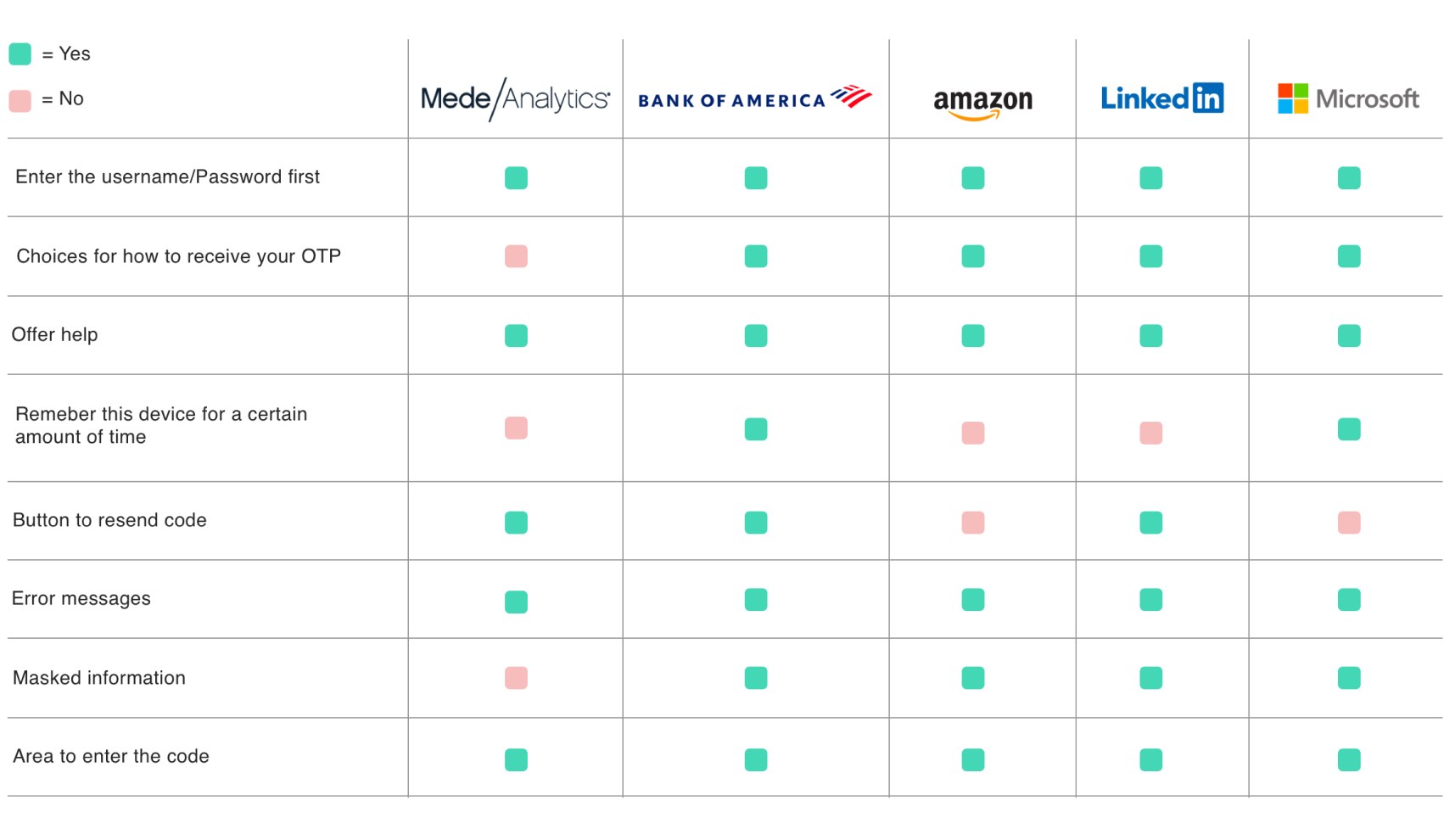
I compared our login against Bank of America, Amazon, LinkedIn and Microsoft: how each sends the code, whether it masks the contact details on file, whether it remembers the device, and how it handles resends and errors. The comparison changed the acceptance criteria I agreed with PMs.
- Mask the email on file, so the screen confirms where the code went without exposing the address.
- Remember the device for a set number of days, so regular users aren’t challenged every time.
- Out of scope for V1: ways to get a code other than email.
Every screen checked with the security team.
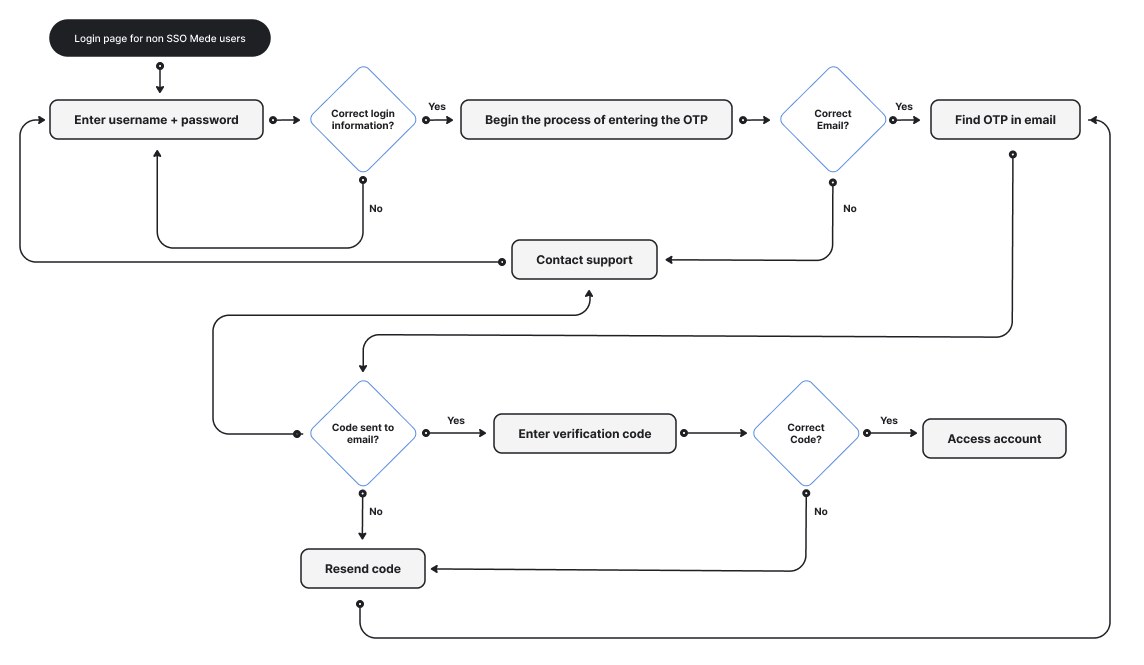
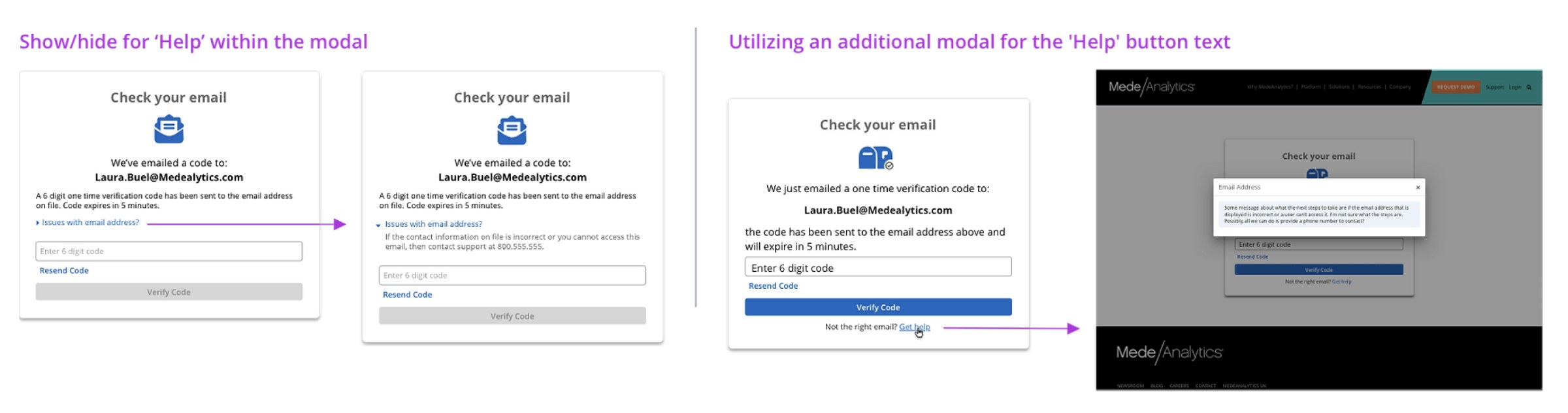
Setting up 2FA meant asking clients for more information than before, so I designed it alongside the security team. The biggest question was what a stuck user could do, and where. We agreed on the steps people could take themselves and when to send them to support, and I put the help in its own modal, because the instructions were too long for the code screen.
Less change, better results.
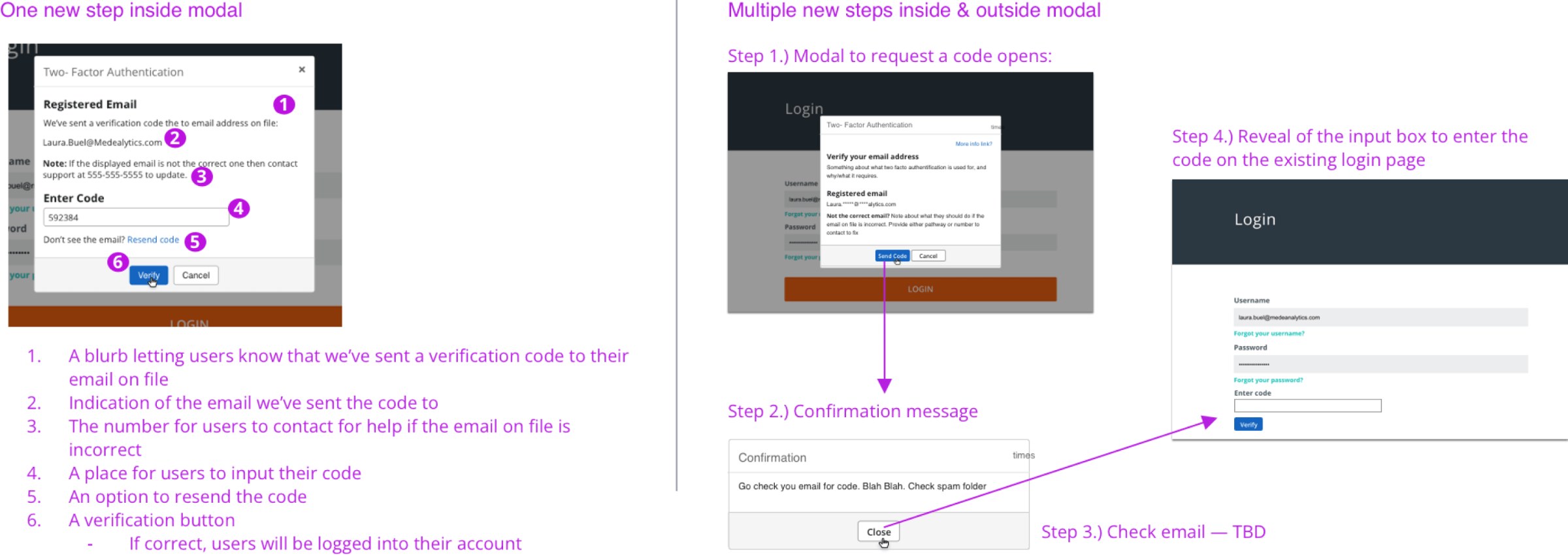
- One new step, not several. The whole addition is a single code screen.
- Bending the brand, a little. The flow lives outside the main platform, so small departures from the guidelines were fine where they made the screen clearer.
- Errors where they belong. A wrong or expired code stays in the modal; serious problems, like a locked account, go back to the main login screen.
- Room on the login page. I adjusted its spacing and sizing so the new step fit.

Then the login page itself changed.
After the 2FA designs were done, the design team learned the login page would be redesigned to match the new company website, and it had to change first. That work usually belonged to marketing, so I teamed up with them on a new login design and carried the 2FA flow over to it.
Bring design into the first meetings on a ticket, so the work in the pipeline lines up before anyone builds it.
What shipped
Two-factor authentication shipped to every MedeAnalytics customer, the platform’s first built in-house. We didn’t measure its impact at launch. Today I’d track login success with 2FA on, support tickets about codes and locked accounts, and how much time the step adds to login.
What I’d do next
- More ways to get a code. SMS or an authenticator app, the item we kept out of V1.
- Self-service recovery, so stuck users have options besides contacting support.