Ten years of purchases, finally in order: how I turned a reskin into a rebuild
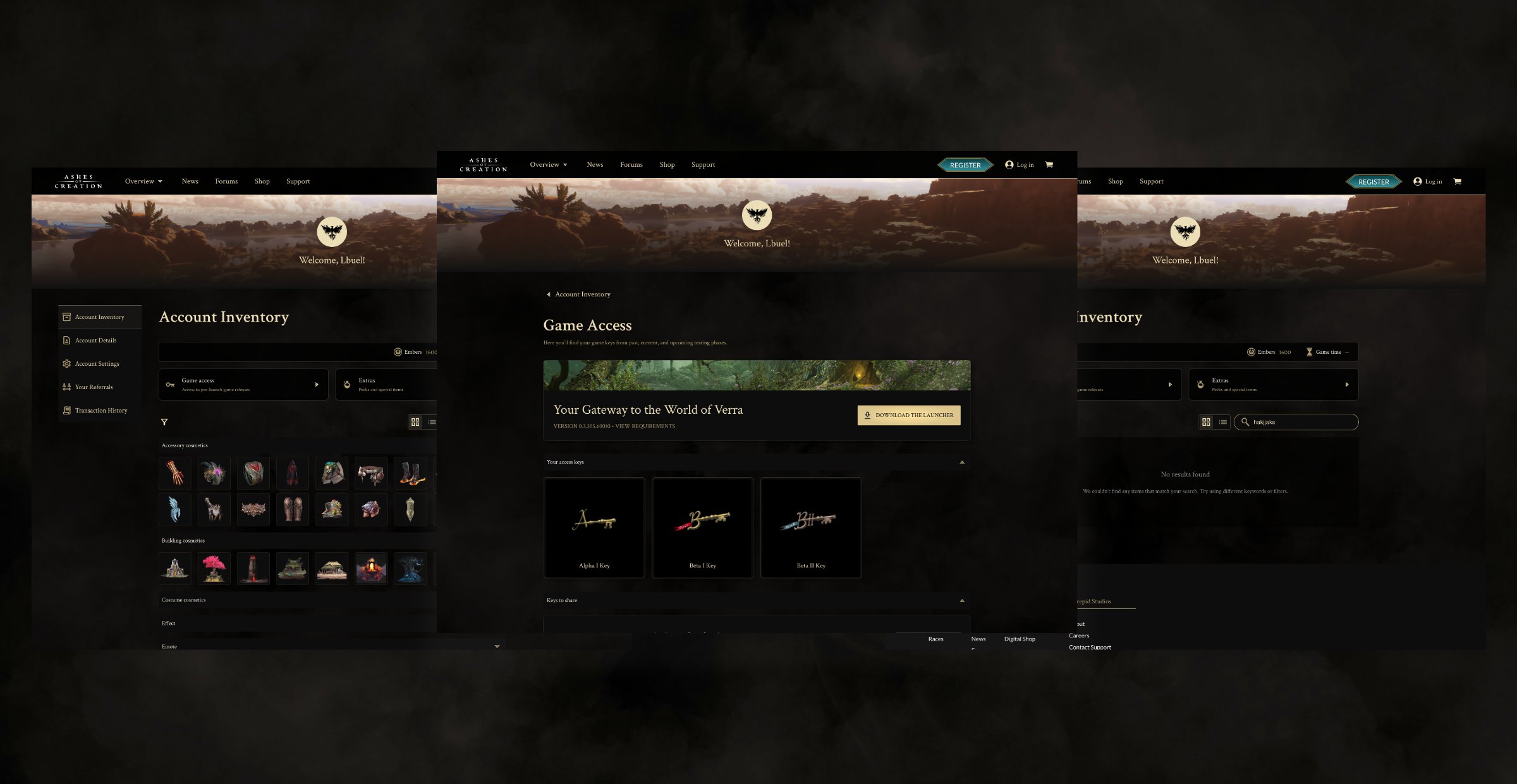
Overview
I was the only designer: the audit, the case for the rescope, the item model and every screen. I cleaned up the data side by side with our UX/UI design lead, alongside backend and marketing.
I was asked to apply our new design system to the account inventory. Underneath, the page was broken: players couldn’t find items they’d paid for over ten years. A reskin would have hidden that, so I pushed back, won the time, and rebuilt the inventory from the data up.
The ask was cosmetic. The problem wasn’t.
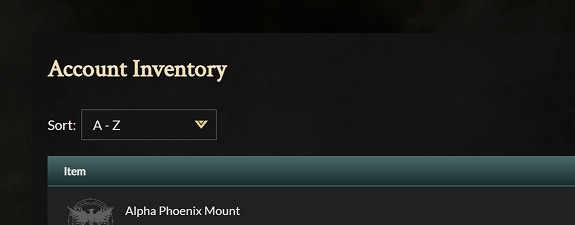
The brief was to apply the design system I’d built for the public site to the account pages. Once I opened the inventory, it was one flat table of text, with no images and no grouping. As more players joined beta testing, it broke in four ways.
- Missing purchases. Backers from up to ten years ago couldn’t find items they’d paid for.
- Unclear game access. Testers couldn’t tell which keys they held for which test phase.
- No physical vs. digital. Nothing showed which rewards could be redeemed for something real.
- No room to grow. Every new item type would pile into the same table.
Saying no to “just do it.”
The inventory was the page nobody wanted to touch. Fixing it properly meant reworking data, backend and front end. When I raised it, the lead engineer told me to apply the styles and move on. I said no, and argued timing rather than taste.
We were still in development. Fixing it now was cheap. Fixing it after launch would hit every player.
A polished page that still lost people’s purchases would look like a decision, not a beta bug. And the problems were already real: support had the tickets, and players were raising it on Discord. We got the time.
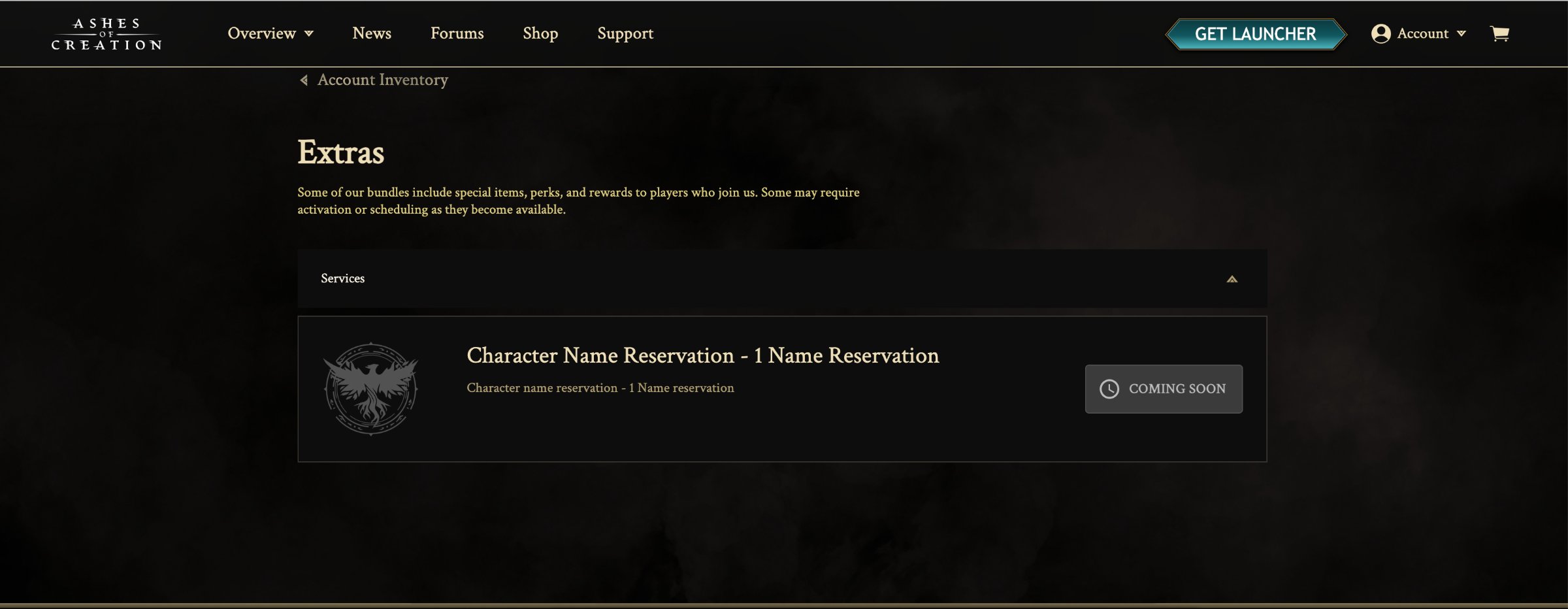
There wasn’t time or back-end capacity to build a redemption flow for special items in the same two sprints. I cut it on purpose: those items show an honest status, and players redeem them through support. The foundation came first.
Listening where players already complained
There was no budget for formal research, so I went where players were already telling us what was wrong: the requests customer support saw most, and testers posting on the community Discord as they played or tried to redeem items.
Both pointed to the same root cause. Players didn’t distrust the page because it was ugly. They distrusted it because it didn’t match what they knew they owned. Those two channels also became the measure of success.
The real story was in the data
The page was a symptom. The cause was ten years of item data that had never been organized: no consistent order, duplicate names, and items with no image attached. It became impossible to ignore when we started building a tool for marketing to add shop items without the web team.
- Naming rules. I set conventions with the two back-end engineers that code could rely on and people could read.
- Item by item. Side by side with our UX/UI design lead, I went through the whole catalogue, about 300 items, with backend and marketing in one spreadsheet: merged duplicates, matched images, assigned types.
- Real records. I designed against the cleaned data, not placeholders, so design and data agreed at launch.
Designing how players think about their stuff
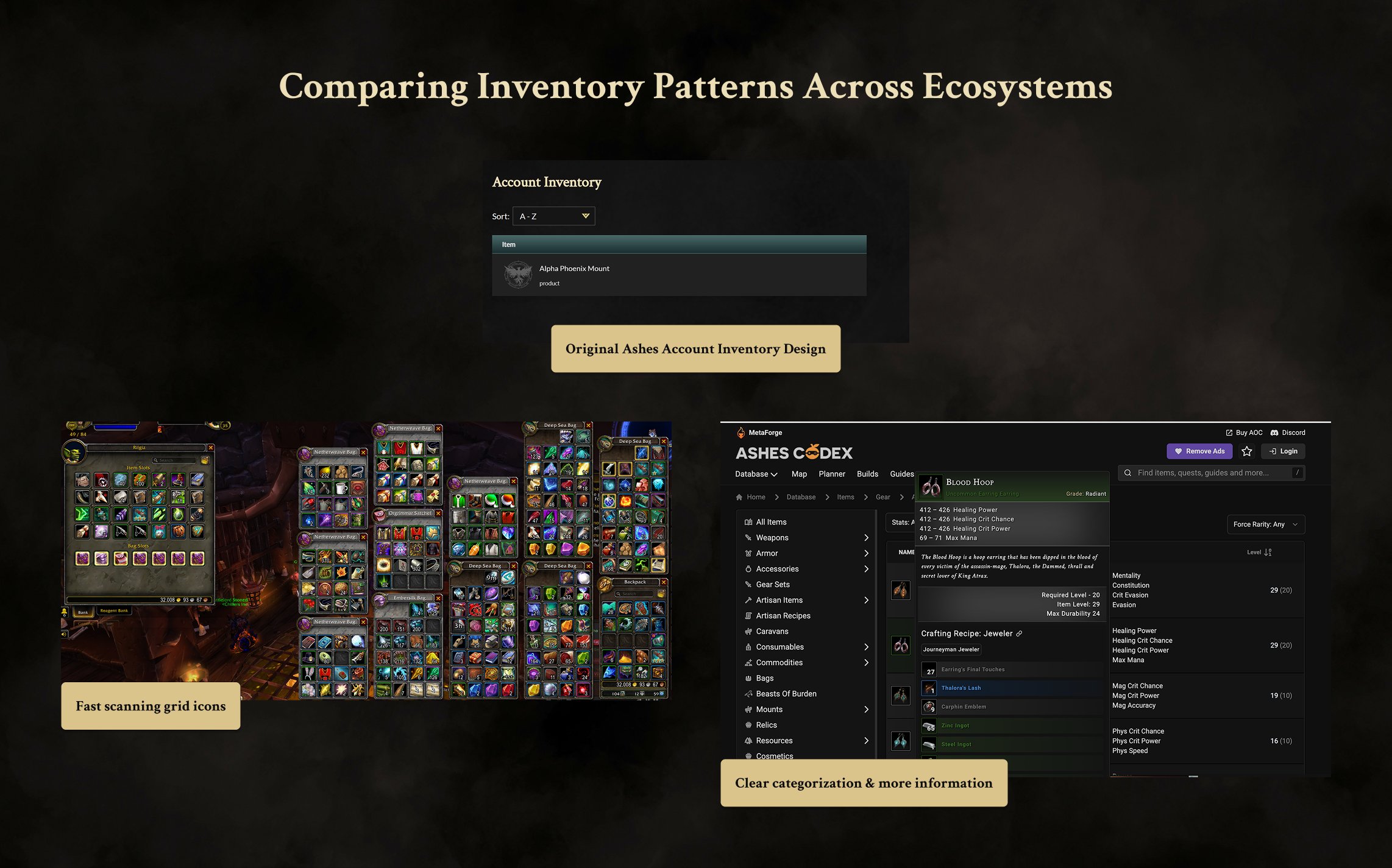
I studied how other products handle big personal collections: game inventories, console libraries, digital asset libraries, e-commerce and tabletop item sheets. Four patterns carried over: layered categories, recognizing items by image, browsing then digging into details, and fast filtering.
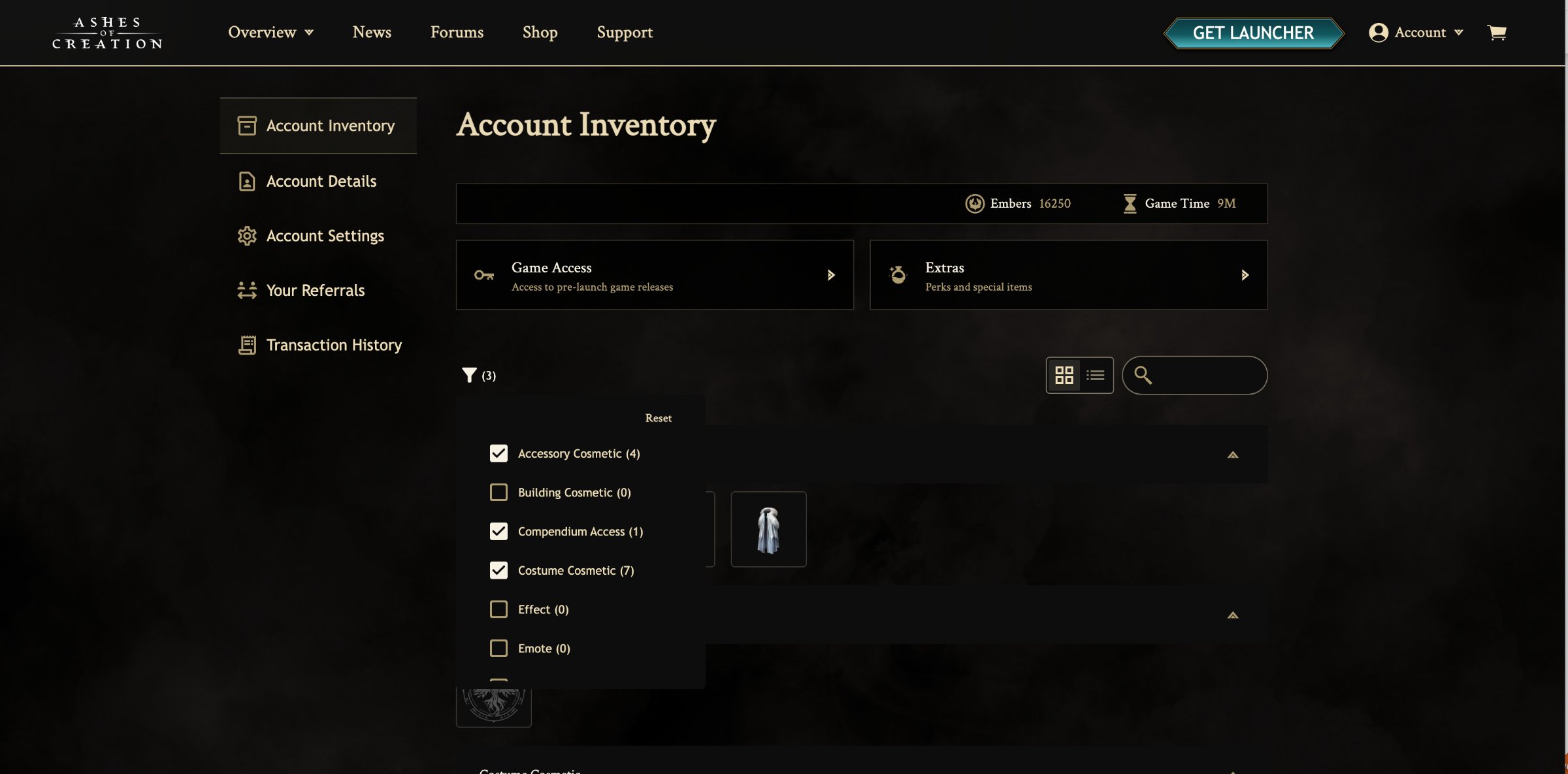
Every item got one home. Cosmetics live in the main inventory, grouped the way they appear in the game, with type filters that show live counts so players can check what they own at a glance.
Items that didn’t fit anywhere
With the designs nearly finished, marketing brought data we hadn’t seen before and asked: what about these? Access keys had the same problem. I went back into the near-final designs and weighed three options.
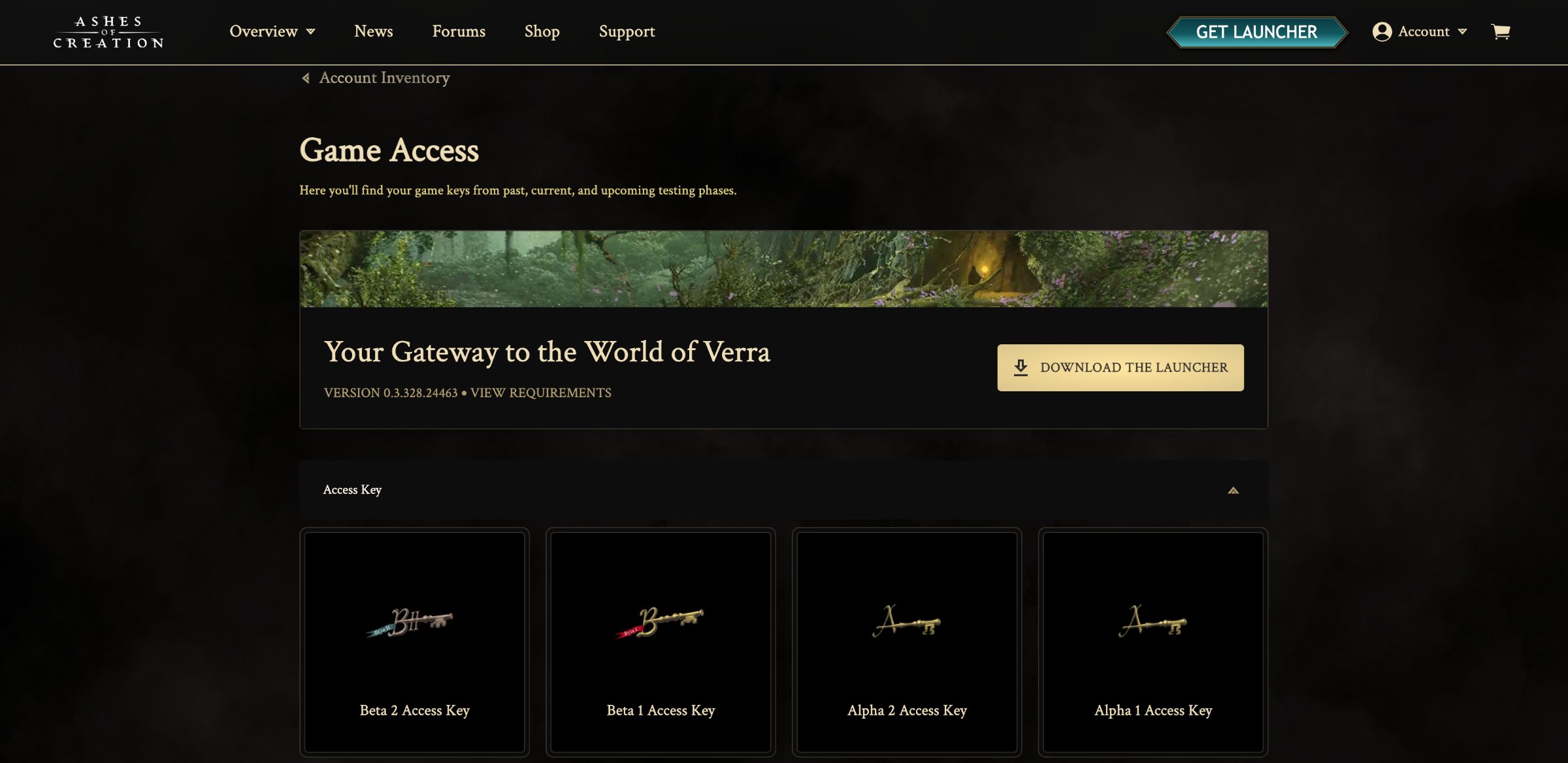
The launcher lives with the keys. Game Access is one of the few pages every tester returns to, so when a player redeems a key, the launcher download is right there: the next step instead of a dead end.
One inventory, built to grow
- A clear top of page. Balances, then Game Access and Extras, then the player’s items.
- Filters that answer “do I own it?” Live counts plus partial-name search.
- Grid or list. Spot items by image, or read names.
- Details in place. Hover or tap any item without loading a new page.
- Built on the design system. New item types follow an existing pattern.
What changed
fewer inventory support tickets in the first month after launch. Google Analytics stayed on the page to track usage against that benchmark.
On Discord, players praised the new inventory, and some called it one of their favorite account inventories in any game. Underneath, new item types now join an existing structure, and marketing builds on a consistent catalogue. We didn’t run usability tests before rollout, so the evidence comes from the same two places the problem did.
What I’d do next
- Finish the cut I made. Build the Extras redemption flow so players can redeem without a support ticket.
- Test before rollout. Five quick sessions with testers redeeming a key would have caught the keys-and-extras gap earlier.
- Tag the tickets. A shared support tag turns “fewer tickets” into a tracked number.