The news page was meant to be the source of truth. Players were leaving it.
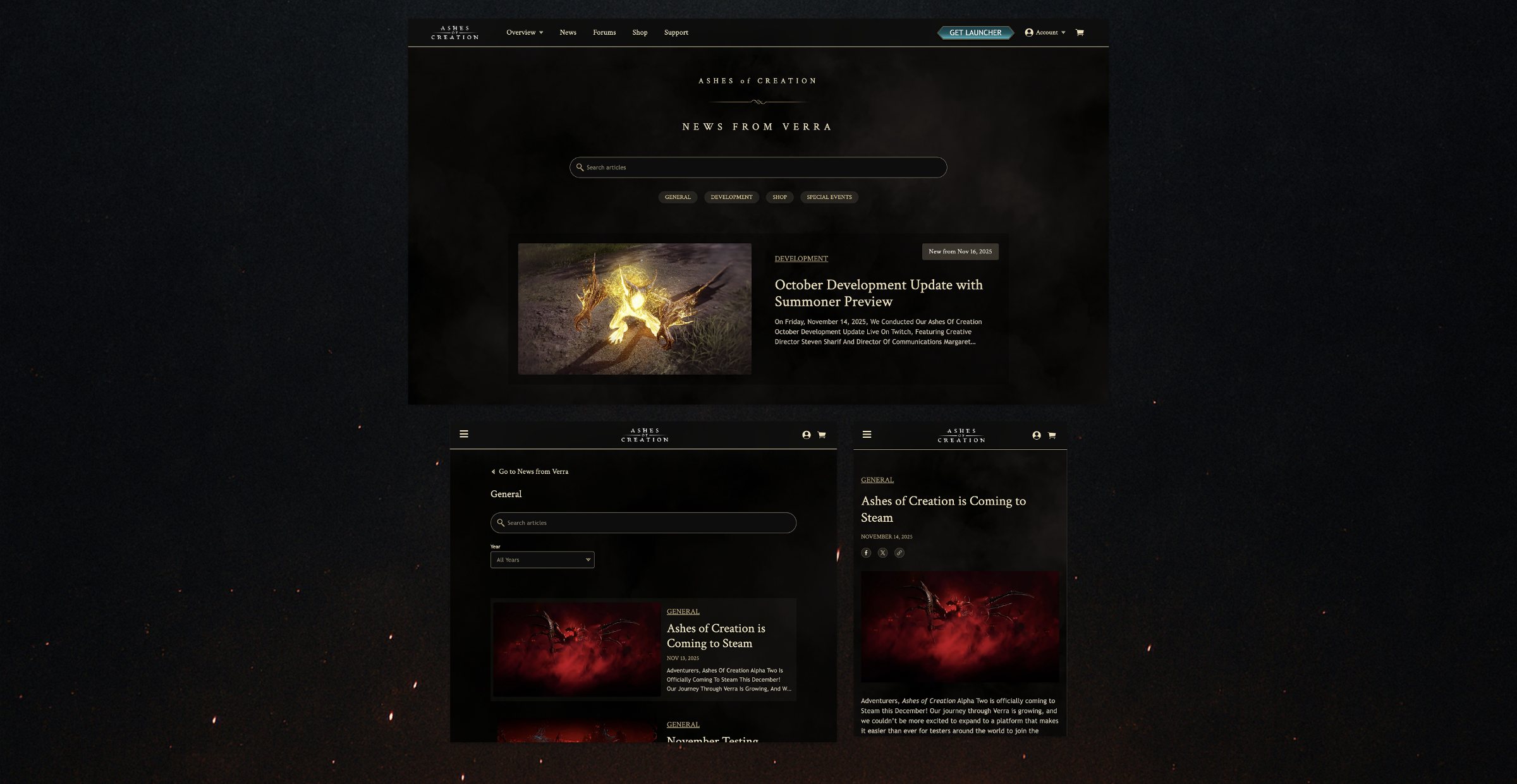
Overview
I was the only designer: research, analytics, the CMS audit, the information architecture, and every page and content block. After handoff I stayed in the build with engineering and helped re-plan the roadmap.
I was asked to apply our new design system to the news pages. Research and analytics showed a bigger problem: the page players should trust most had one of the site’s highest bounce rates, and marketing struggled to publish with it. I rebuilt both sides: a news hub players could browse, and a CMS the team could run on its own.
I checked the ticket before I trusted it.
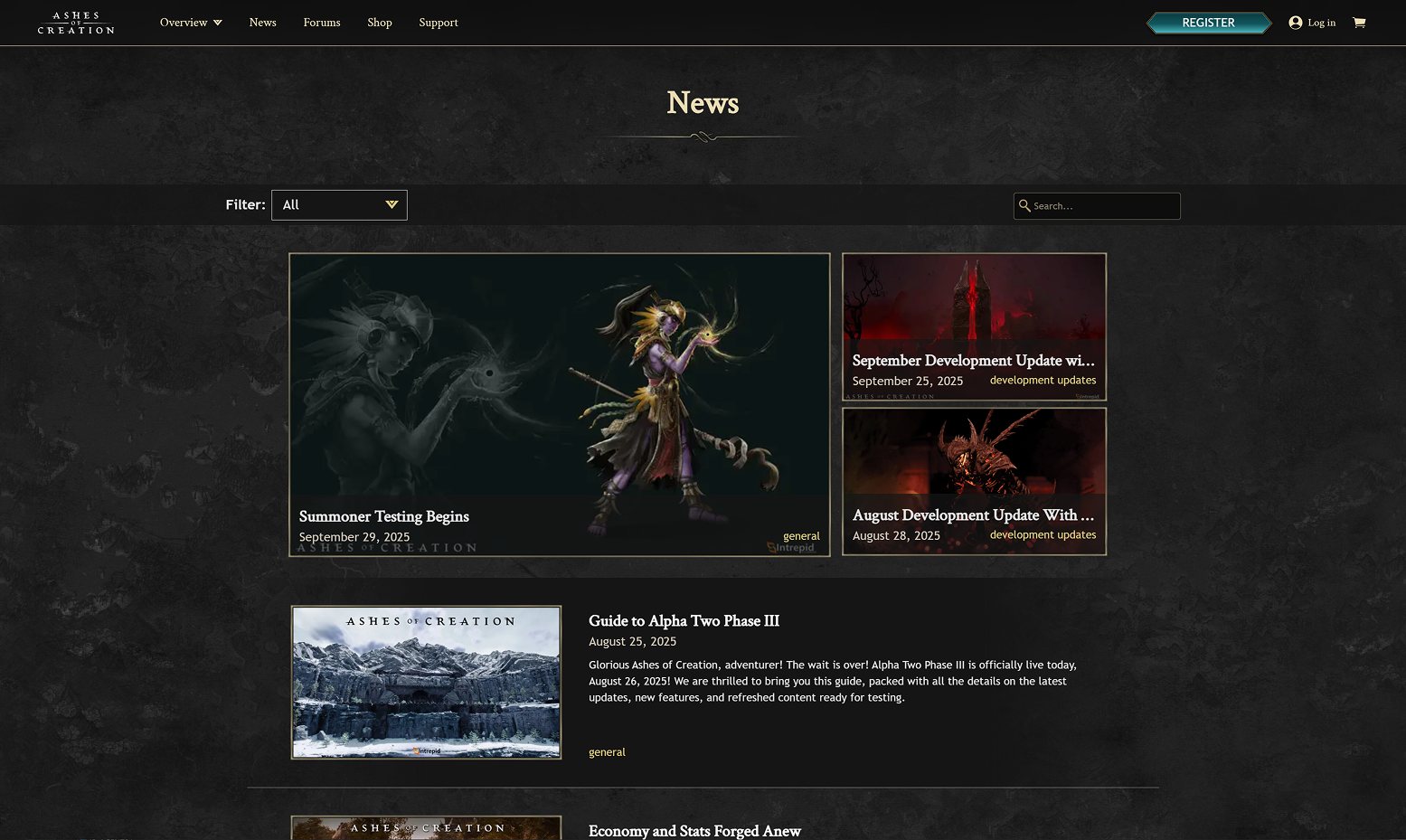
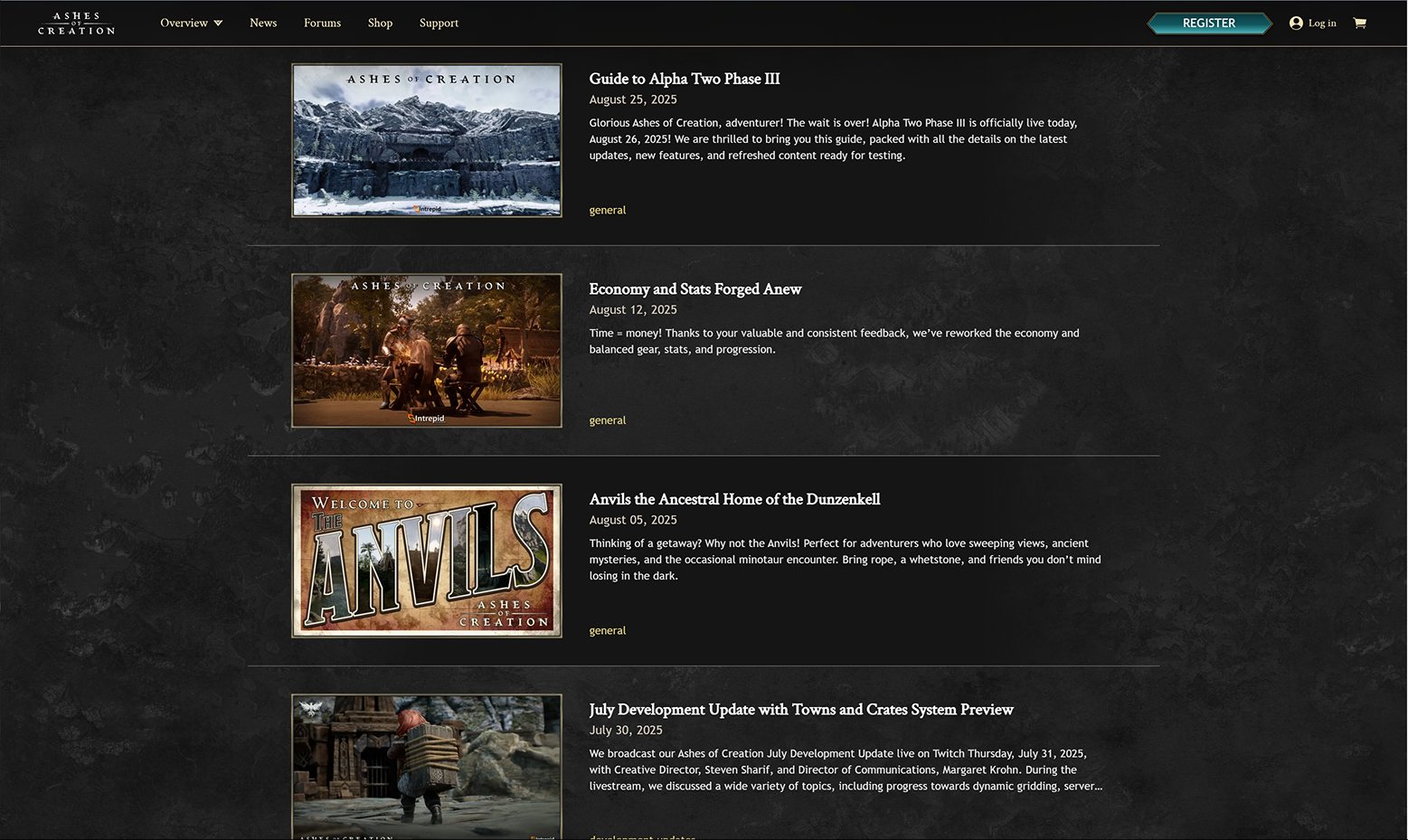
The ticket asked me to bring the news pages in line with the design system I’d built for the public site. I research before I take a ticket at face value, so I benchmarked how Riot, Bungie, Netflix, Polygon and Bloomberg handle news. Next to them, ours fell short almost everywhere.
- Weak search. No useful filters, so older stories were hard to find.
- Unclear categories. Nothing separated development updates from shop news or events.
- Rigid articles. Inflexible CMS blocks made every story look the same.
- Hard to read on phones. Long reads were a slog on small screens.
Then I opened Google Analytics. The news page had one of the highest bounce rates on the site.
The source of truth had a leak.
The game hadn’t launched yet, so the news page was where players went for the official word on where Ashes of Creation was headed, and where every livestream landed afterward. When they bounced, they got their news secondhand from forums, videos and Discord.
A restyle would have made the page look current while it kept losing readers.
Readers left it. The people publishing it struggled with it.
Analytics told me what readers did. To understand the publishing side, I sat down with the two marketing team members who wrote the news. They described a Strapi CMS that had grown without a plan: overlapping blocks, rigid layouts, and no way to group articles. Fixing the reader experience meant fixing theirs too.
- Audited every Strapi block and decided what to keep, merge or redesign.
- Added categories with back end, so articles could be filtered and searched by type for the first time.
- Designed new building blocks for paragraphs, images, galleries, embeds, quotes and dividers, all from the design system.
What was slated as a styling pass became a four-sprint rebuild with many new design system components. I helped story-map the work and update the roadmap, and the team pushed back other planned work, including new site pages, to make room.
Categories, one click in.
The biggest structural question was how players should reach a category. I weighed two options.
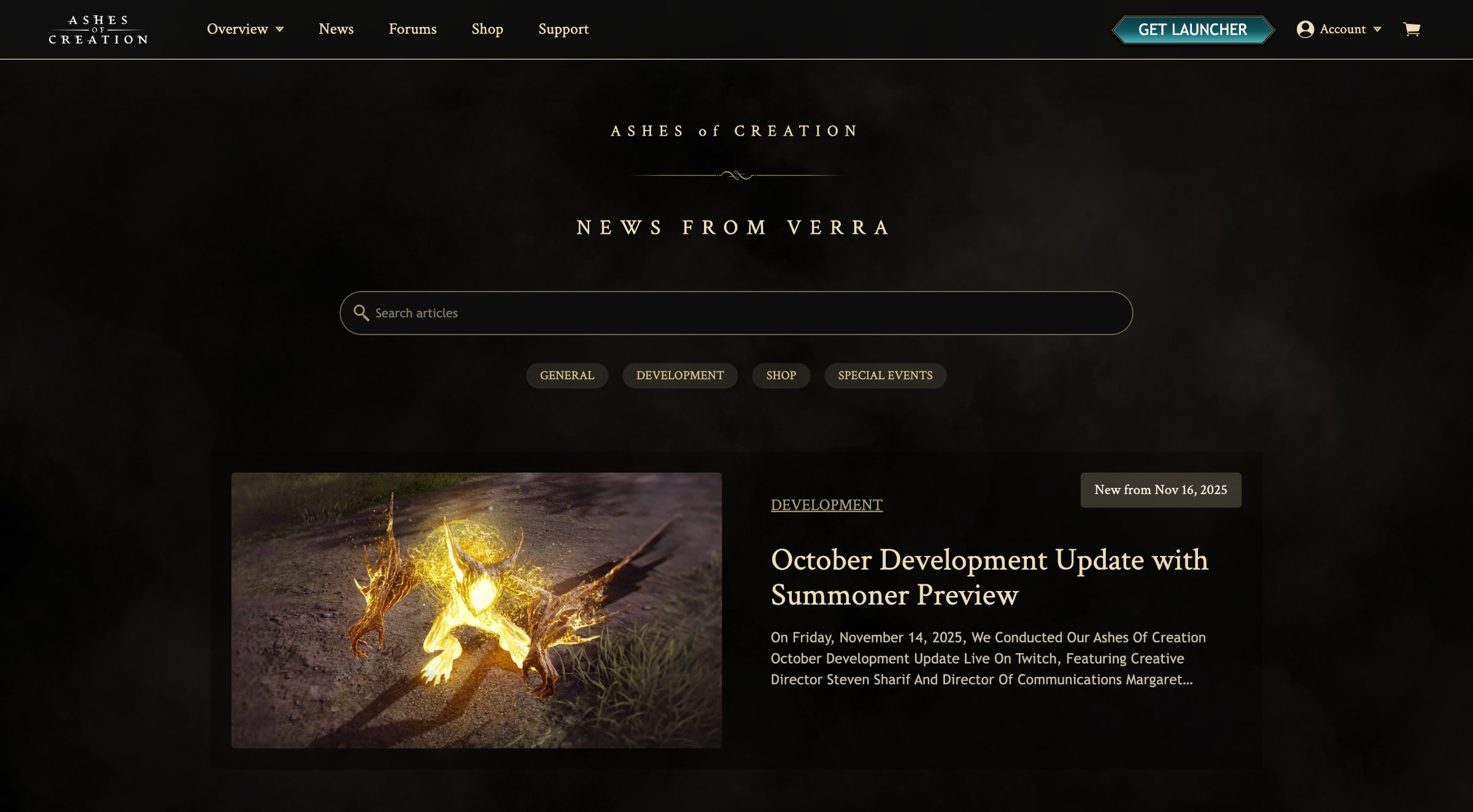
The hub became a front page: search, category chips, the newest story featured, then a row per category with “See all.” Each category page has its own search and year filter.
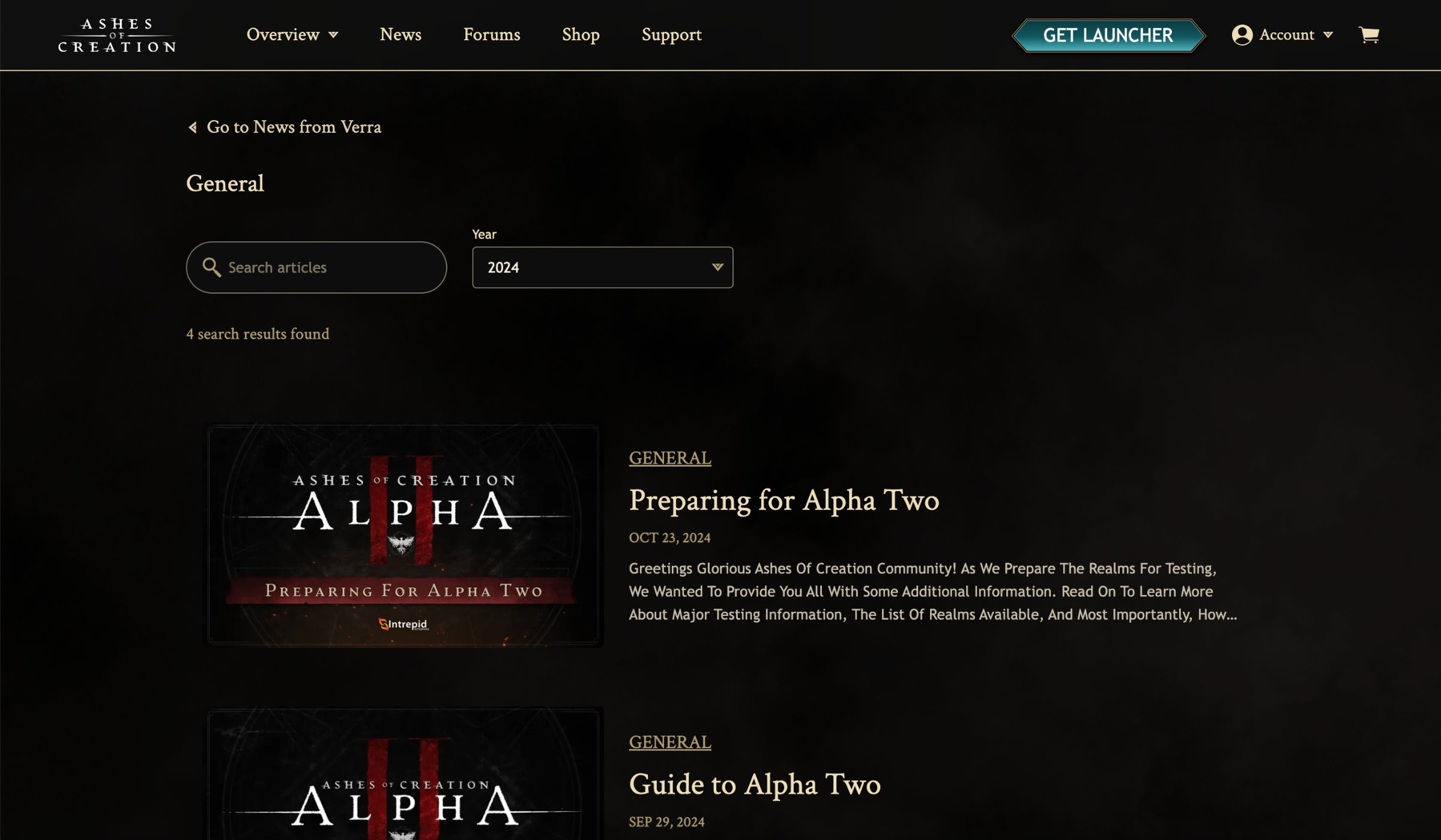
No empty shelves.
Marketing wanted to add categories that had no articles yet but would later. On the live page, they would have shown up as empty sections.
I pushed back, and we landed on a middle path: the categories live in Strapi now, and marketing tells us before they publish the first article in a new one, so front end can build that section in time. Marketing gets room to plan, and readers never hit an empty shelf.
Letting one article carry more than one category was pushed to later. It needed more back-end and filtering work than four sprints allowed, and one category per article covered launch.
A CMS marketing could run on its own.
New blocks only help if people know when to use them. I wrote detailed Confluence documentation for marketing: what changed, what each Strapi block is for, and which blocks to use for each type of article, from development updates to livestream recaps. We were building the tool as much for them as for the community.
When the system and the build fell out of step.
Partway through, the new components built for the news pages drifted from what front end was adding to the shared design system. QA, testing against an outdated version, started flagging things that weren’t bugs, and untangling it cost us time.
Our UX/UI design lead and I proposed a fix the whole team agreed on: a shared design system changelog, plus versioning so QA always tested against the current release. The false flags stopped, and the process outlasted the project.
Built to be browsed, read and shared.
- A news front page. Search, category chips, the latest story featured, then a row per category.
- Category pages. One click in, each with its own search and year filter.
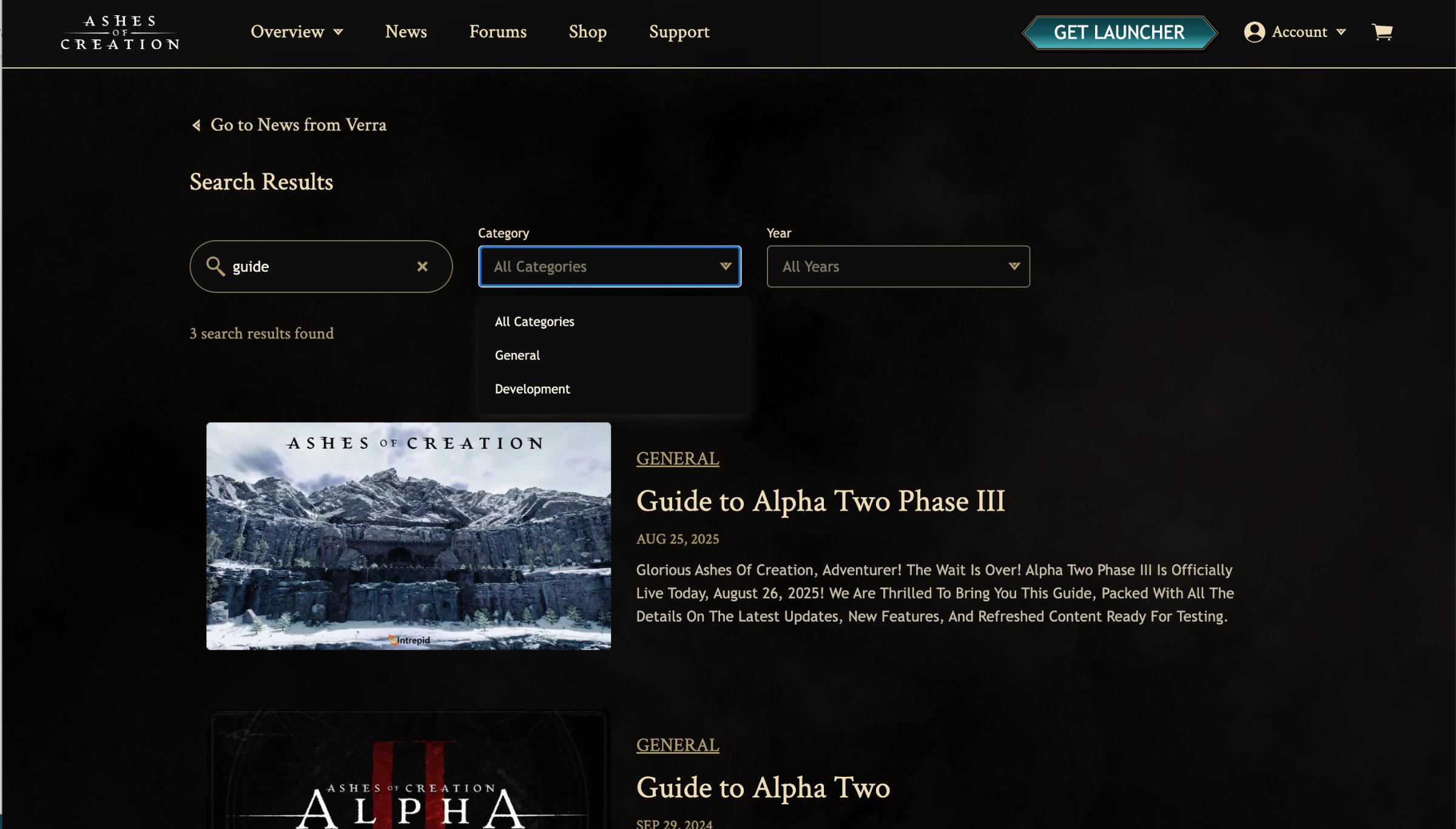
- Search that combines. Keyword, category and year filters work together, with a result count.
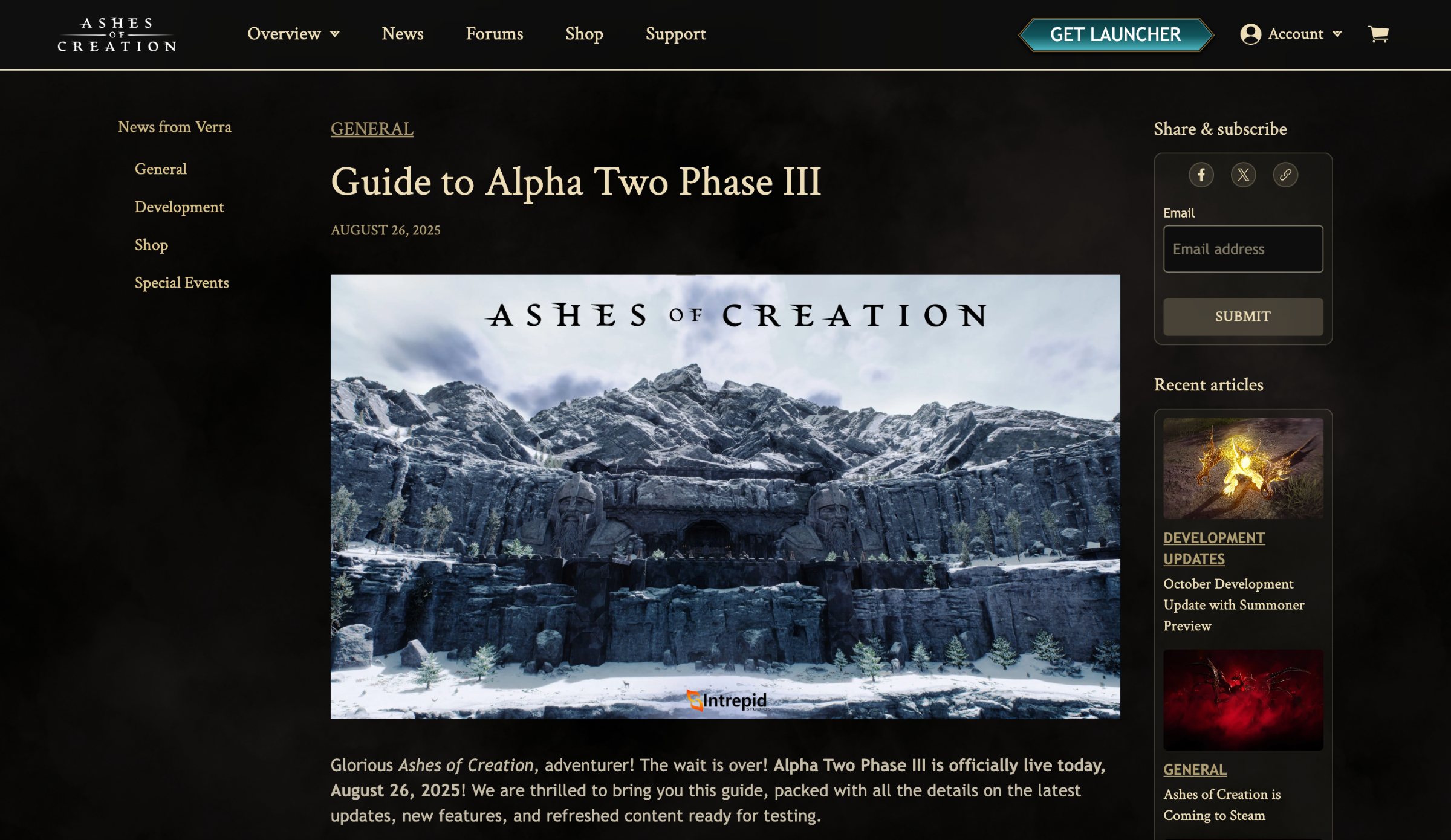
- A readable article. Stronger hierarchy and type, a category menu down the side, recent articles alongside.
- Sharing in plain sight. Share and subscribe sit beside the article, so passing a story on takes one click.
- Accessible by default. Every page reviewed against WCAG 2.1.
What changed
bounce rate, down from 60%. We compared the two weeks after a livestream article went up before the redesign with the same window after one went up on the new design.
Articles shared rose 40% in the same comparison, once the share controls were easy to spot. And marketing was thrilled: the new CMS was easier to work with, which was half the point. Two windows is a small sample, so next time I’d track more of them, plus scroll depth and category-page visits.
What I’d do next
- Allow more than one category per article. Finish the cut so a livestream recap can also be a development update.
- Test the category pages with players. Watch testers find a specific update to confirm one click in beats filtering.
- One source of truth for components. Tie the changelog to the Figma library and the coded components so local work can’t drift again.
- A shared content calendar. Turn marketing’s advance notice into a calendar, so new sections are ready before their first article.